You start with a few keys
New learners begin with a few home-row keys and can type right away. If you already type well, open the welcome tour in Settings and choose your experience level.
katakey keeps track of the keys and letter pairs you get wrong and builds each new line of practice around them, so there are no lessons to pick. It's free, runs in your browser and needs no account.
To start, type in the practice area at the top of this page. Your progress is saved in this browser. Practice needs a physical keyboard; the guides work on any device.
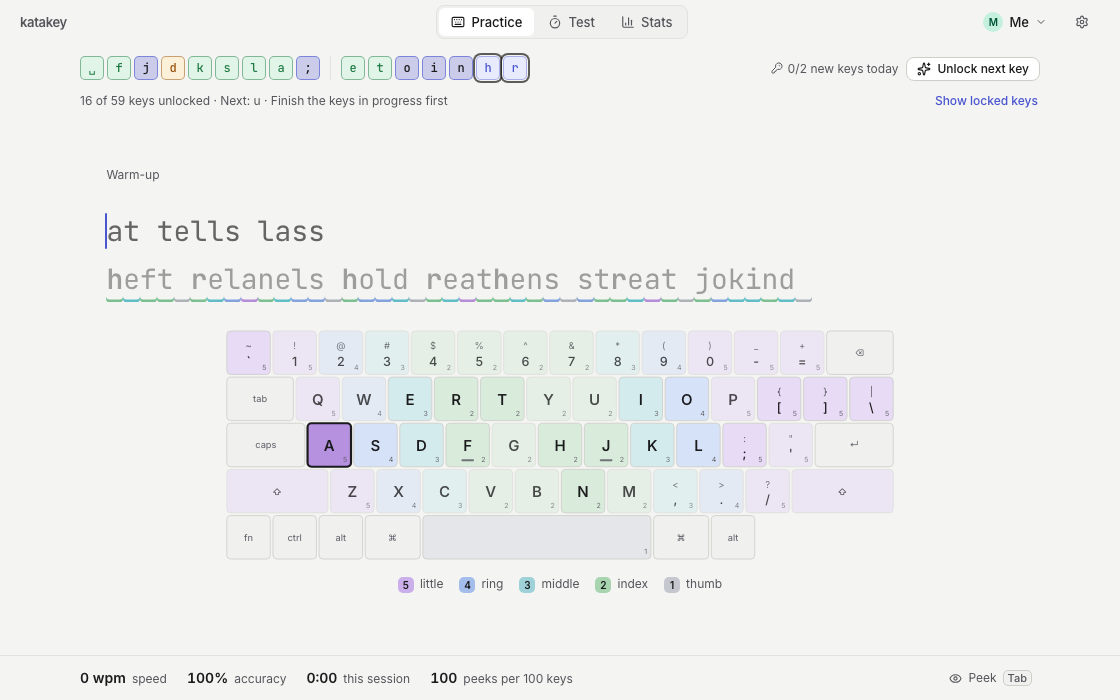
New learners begin with a few home-row keys and can type right away. If you already type well, open the welcome tour in Settings and choose your experience level.
Each line mixes the keys and sequences that need work with ones you already know. New keys unlock as you make progress.
Your stats show accuracy and how far each key has come, next to words per minute. The keyboard hints fade as you learn each key.
Switching fingers makes familiar words feel strange at first, and you may slow down for a while. You can practice slowly and stop whenever you like; katakey picks up where you left off.
Relearning touch typing as an adultkatakey has no accounts. Your practice history is saved in this browser, and you can export a backup to keep it safe or to move it to another browser. The site counts visits and how the app is used with anonymous usage statistics, which you can turn off.
Privacy and your dataFind the home row, choose a finger map and practice your first keys.
Find the mistakes you repeat and practice the keys behind them.
Measure your speed and accuracy, then decide what to practice.
Yes. Practice and the typing test are free, and you don't need an account.
Layouts include QWERTY (US, UK and Japanese JIS), Dvorak, Colemak, Colemak-DH, Workman, German QWERTZ and French AZERTY. Choose yours in Settings. Practice text comes in English, German and French; the interface is in English only.
No. The on-screen keyboard shows which finger to use, but the website can't see your hands.
Not automatically. Your progress is stored in this browser only. To move it, export your profile in Settings and import the file on the other device.